

AI-based document processing
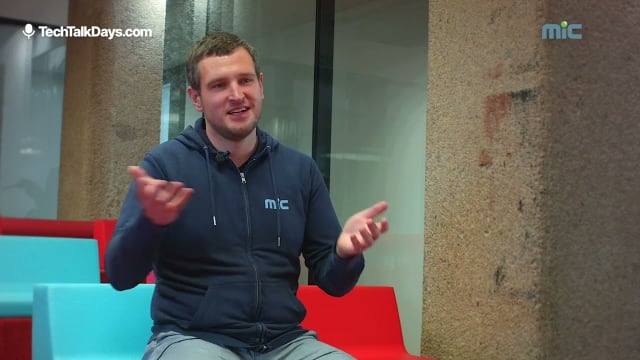
Maximilian Sandberger von MIC demonstriert in seinem devjobs.at TechTalk die Funktionsweise der automatischen Rechnungserfassung und erklärt die Grundgedanken bei der Entwicklung dieses Features.
Video summary
In AI-based document processing, Maximilian Sandberger (MIC) presents MIC’s approach to automating trade document handling with generative AI to cut manual data entry. A multi-provider Vision API produces structured JSON via OCR, document classification, splitting/streaming, and a MicDoc/DocFlow UI enables validation, human corrections, and export to customs modules. The demo uploads invoices and images, extracts line items and totals, surfaces errors from low-quality scans for fixing, and shows how teams can start with human-in-the-loop and progress to full automation.
AI-based document processing at MIC: Structured outputs, a Vision API, and DocFlow powering customs and trade workflows
Introduction: What we learned from “AI-based document processing” with Maximilian Sandberger (MIC)
At DevJobs.at, we closely track how AI moves from prototypes into production. In the session “AI-based document processing,” Maximilian Sandberger, a Data Scientist at MIC, walked through a practical, end-to-end use case: automating the capture and processing of trade documents. MIC, a global provider of trade and compliance software, set up a dedicated AI/data science team in 2022 to explore where AI and analytics can be embedded into their products.
The use case is deceptively simple but technically rich: documents like invoices, packing lists, and Excel files typically arrive as PDFs or email attachments—not over structured interfaces. As Sandberger emphasized, about “80% of all business documents are still PDFs,” which leads to manual data entry into downstream systems. The goal is to automate this input work while preserving quality and compliance.
The core technique highlighted in the talk is “structured output” with generative models. By predefining schemas (for example, an invoice with number, total, and line items), MIC uses models to emit valid JSON that maps directly into application forms and APIs. To make this practical, MIC built a Vision API and a UI layer called MicDoc/DocFlow, covering ingestion, OCR, classification, chunking, extraction, validation, and transfer into other MIC modules (e.g., customs declaration).
Below, we recap the technical narrative, architecture decisions, and operational lessons that stood out—focused on what engineering teams can reuse in their own document-heavy domains.
The business problem: Manual inputs dominate trade documents
- Documents arrive primarily as PDFs, email attachments, or images; Excel is common, too.
- Structured interfaces aren’t the norm; inboxes are. That keeps data entry manual, error-prone, and hard to scale.
The opportunity for AI lies in translating unstructured (or semi-structured) inputs into the structured fields MIC’s modules expect. Trade documents do follow patterns—an invoice typically carries a number, amounts, and positions—but the formatting, language, and quality vary widely, especially with scans or photos. Any robust solution must therefore include:
- a wide ingestion pipeline (email, FTP, manual upload),
- OCR for non-searchable scans and images,
- a way to determine document type (invoice vs. packing list),
- schema-driven extraction that guarantees parseable JSON,
- validation (e.g., sum checks),
- and a human-in-the-loop UI.
Structured output as a lever: Predefined JSON schemas for stable extraction
The pivotal enabler is the ability of modern generative models to produce structured outputs. Sandberger describes telling a model (he mentions “JGPD”) to fill out a predefined schema for a given document—say, an invoice with number, amount, and line items. The model receives the document content (text, image, or the text layer extracted from a PDF) and outputs the target shape.
Key properties:
- The result is “valid JSON,” which can flow straight into downstream interfaces.
- A schema-first strategy prevents free-form text that’s hard to parse or validate.
- The approach works with text inputs (HTML, XML, JSON), PDFs with embedded text, and—within limits—images.
This makes the integration predictable and cuts down on brittle parsing logic. In regulatory contexts like customs, deterministic data shapes are essential for reliable processing.
MIC’s Vision API: Provider-agnostic, multimodal, and schema-oriented
To operationalize structured outputs, MIC built a Vision API. It acts as the extraction service that:
- accepts varied inputs (text, Excel, PDFs, images),
- extracts the relevant information guided by a predefined schema,
- and returns a structured JSON result.
Why build their own API?
- Model variety: “There are many AI models.” Major providers cited include “OpenAI and Dropic.” Enterprise customers often have existing contracts with specific vendors, so choice matters (e.g., OpenAI, Mistral).
- Hosting options: MIC can host its own models, including the “Alibaba crane model” and “Meta Llama.” However, self-hosting is expensive (GPU nodes) and often less cost-effective and performant than using external providers.
- Abstraction: The Vision API encapsulates provider differences and enables switching or selecting backends per customer or use case.
The result is decoupling: customers pick providers, MIC can evaluate models and adjust backends without reworking product-facing logic.
MicDoc/DocFlow: The UI for upload, review, and handoff
The UI (referred to by Sandberger as “MicDoc,” demonstrated as “DocFlow”) frames the operational flow:
- Ingestion: upload via file chooser, FTP, or email.
- Extraction: send to the Vision API, show extracted fields.
- Validation: checks like sums and amounts; manual corrections are supported.
- Handoff: transfer to other MIC modules for downstream processing such as customs declaration.
A critical design is the human-in-the-loop step. While the entire chain can be automated (e.g., when “the sums match”), the recommended starting point is manual review and upload—so teams build trust in data quality and process stability before expanding automation.
The end-to-end flow: From ingestion to customs declaration
Sandberger outlines the full pipeline. For engineering teams, this sequence offers a practical template for production document flows.
1) Ingestion: Email, FTP, manual upload
- Multiple channels capture real-world entry points.
- The goal is to get documents into processing fast, regardless of source or format.
2) OCR: Pulling text from scans/photos
- Many PDFs are scans with no text layer; “you cannot extract the text per se.”
- An OCR step lifts text from images so the structured output extraction can operate on it.
3) Classification: Identify the document type
- Either manual (mark as invoice, packing list) or automatic: “let the AI choose what this document is.”
- Simple semantic cues (e.g., the word “invoice”) often suffice to distinguish types.
4) Splitting and chunking: Account for context and output limits
- Generative models have context limits. A 500-page PDF “you cannot paste in all at once.”
- Output is limited, too. Example: a 5,000-line Excel—input might work, but the model “cannot generate that much text at once.”
- Solution: split documents, stream extraction chunk by chunk, then compose the final result.
5) Extraction via Vision API: Structured JSON output
- Inputs include text, Excel, PDFs, and images (images are “more of a separate use case,” but supported).
- The target schema (e.g., invoice fields and positions) constrains the model’s output.
- The result is “valid JSON” that fits MIC’s forms and interfaces.
6) UI validation: Review, fix, approve
- The UI presents the document on one side and extracted fields on the other.
- Checks (e.g., sums) flag issues. Users can correct errors (e.g., missing unit prices in a low-quality photo) before approval.
- After approval, data is sent to MIC modules to “declare to customs.”
7) Optional automation: Dark processing when rules are met
- If conditions hold (e.g., sums match), transfer can proceed automatically—“you can actually automate the whole process.”
- The advised starting mode is human review and manual upload to gain a feel for the application’s behavior and accuracy.
The demo: From a test transaction to a validated invoice
Sandberger’s live demo shows the full path:
- Open the launch pad and DocFlow.
- Create a new transaction (e.g., import) with a reference (“test” or “demo”).
- Select the document type (e.g., invoice) and upload prepared documents (PDFs and one image).
- Click “extract”—the documents are sent to the Vision API.
- View results: the document on the right, extracted fields on the left.
One example is a photographed Spar invoice—“a bad photo,” used for illustration. The invoice lines are visible, but the extraction fidelity is lower, as expected with a weak image. Results in the demo include:
- For a regular invoice, two positions are extracted. The team cross-checks with the document (“one position, two positions”), and the sums match—“validation successful.”
- For the image invoice, information is “more sparse,” missing a unit price. The UI reports validation errors; users can add missing values and then approve.
From there, the approved data transfers “to the MIC modules,” enabling the next step of customs declaration.
Architecture choices and technical implications
The talk is intentionally practice-oriented. Several decisions stand out for engineering teams:
Provider-agnostic design as a product capability
Customers often bring existing AI vendor contracts. By abstracting providers (OpenAI, Dropic, Mistral), MIC supports enterprise constraints and enables agile model selection. It’s a pragmatic way to align with customer policies while preserving technical flexibility.
Self-hosting is possible—but costly
MIC can host models such as the “Alibaba crane model” and “Meta Llama.” The pragmatic takeaway is that GPU nodes are expensive; external providers often prove “more cost effective and also more performant.” That cost/performance calculus helps set realistic operating models.
Schema-first with validation: Robustness over unconstrained generation
Defining target structures (e.g., an invoice schema) and enforcing valid JSON produces deterministic outputs. Combined with validations (sums, required fields), it yields a resilient system that flags domain errors early and makes them fixable in the UI.
Chunking and streaming: Practical answers to context and response limits
Context windows and output caps are hard boundaries. The architectural countermeasure is splitting large documents, extracting iteratively, and composing results—an approach that suits multi-page PDFs and large spreadsheets.
Human-in-the-loop: From assisted to automated
The path to full automation runs through manual review. Once validation rules and correction flows prove reliable, dark processing can be introduced (e.g., “if the sums match”). This incremental path reduces operational risk and builds user trust.
Practical guidance for engineering teams
Grounded in the session, several actionable guidelines emerge:
- Define precise target schemas per document type. The clearer the structure (including positions, amounts, and metadata), the more stable the output.
- Treat OCR as a first-class stage. Non-searchable scans are common; without OCR, extraction can’t proceed.
- Decouple model selection. An API layer that integrates multiple providers supports customer requirements and tech agility.
- Design for context and output constraints. Implement splitting/chunking and a reliable merge process.
- Build validations aligned to the business goal. Sum checks and required-field rules raise data quality and enable safe automation triggers.
- Provide review UI and quick correction paths. Visible, fixable errors (e.g., missing unit price) foster trust and throughput.
- Start with human-in-the-loop. As confidence grows, enable automated transfer under clear conditions.
Deployment status and scope within the talk
Sandberger notes that the first paying customer went live in production “last week,” and MIC aims to integrate the solution across its products. The use case applies broadly to many customers: capture, structure, validate, and hand off documents to customs and compliance modules. That’s where the combination of Vision API, structured output, and DocFlow delivers an end-to-end, enterprise-ready process.
Conclusion: A solid blueprint for AI in document-heavy workflows
“AI-based document processing” with Maximilian Sandberger (MIC) demonstrates how generative models can be embedded into production data pipelines—not by magic, but through disciplined architecture:
- schema-first rather than free-form text,
- OCR and type classification as mandatory steps,
- chunking/streaming to handle context and response limits,
- provider-agnostic integration for enterprise flexibility,
- and a validation-first UI that underpins later dark processing.
The standout concept is “structured output.” Directing models to produce valid JSON is the difference between a flashy demo and a system that plugs cleanly into enterprise modules. Paired with a UI like DocFlow and the Vision API, you get a workflow that serves both operational users and integration endpoints.
For teams tackling similar challenges—PDFs, email attachments, scans, spreadsheets—the session offers a practical recipe: design from the target schema and validations back to ingestion, insert OCR and classification early, encapsulate the model layer, and lean on human-in-the-loop until your rules are robust. That’s how AI becomes a dependable tool in the daily operations of trade compliance and customs processing.
More tech talks
Technical Agile Enabling
Pia Otter-Bäck von MIC gibt in ihrem devjobs.at TechTalk Einblick darüber, wie im Unternehmen das Thema Technical Agile Enabling umgesetzt wird.How our career paths help you grow as a Software Engineer
David Theil von MIC erläutert in seinem devjobs.at TechTalk die grundlegenden Gedanken, welche hinter den verschiedenen Rollen als Software Engineer im Unternehmen stehen.The MIC Tech Radar
Wolfgang Gassner von MIC zeigt in seinem devjobs.at TechTalk die Herangehensweise, wie im Unternehmen die riesige Zahl an verwendeten Technologien überschaubar gehandhabt werden.7 Powerful Questions to ask your Development Teams
Philipp Dressler von MIC spricht in seinem devjobs.at TechTalk über sieben Grundgedanken, anhand welchen ein Team von Developern reibungslos zusammenarbeiten kann.Organization for Fast Flow
Gerald Schweizer von MIC beleuchtet in seinem devjobs.at TechTalk die wesentlichen Gedanken, wie und warum die Organisation der Development Teams im Unternehmen verändert worden ist.

More tech lead stories
Clemens Kriechbaumer, Team Manager Data Science bei MIC
Clemens Kriechbaumer von MIC spricht im Interview über den Aufbau des Data Science Teams und dessen Themenschwerpunkte, die dort eingesetzten Technologien und wie dort das Recruiting gestaltet ist.Wolfgang Gassner, Director Produktentwicklung bei MIC
Der Director Produktentwicklung bei MIC Wolfgang Gassner gibt im Interview Einblicke über das Team, wie der Recruiting Prozess abläuft und wie das Unternehmen die technologischen Herausforderungen meistert.